
What Is The Fastest Social Sharing WordPress Plugin? Say Hello To Novashare.
WordPress social media plugins, there’s so many
This Review Is Brought to You By
WordPress’s social sharing plugins vary from adding the type of bloat you’d typically find in a dead body drifting down a stream. Nobody wants that, and I mean nobody.
Me, just now.
Visitors want fast, they don’t want to open up War & Peace, and read a passage while your website loads.
Guess what? They’re gone, like a thief in the night, never to return.
So what can you do to stop this happening? Will anyone step up with a lightweight social sharing plugin for WordPress and answer the call?
*Up steps the Novashare plugin with social sharing at the speed of light
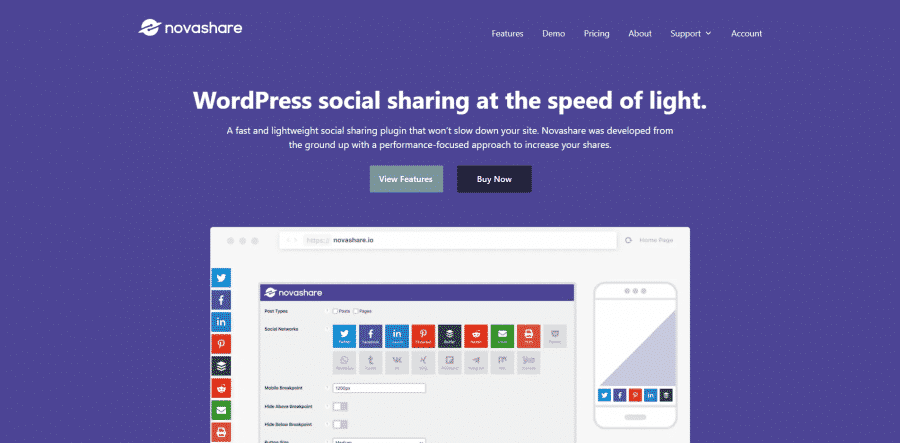
Brian Jackson and Brett Jackson are also responsible for WP Coupons and, more importantly, Perfmatters. Perfmatters is a web performance plugin to help speed up your install of WordPress.
More reasons it sparked my interest:
- A social media sharing plugin for WordPress that only adds 5KB to the front end.
- Uses inline SVGs for icons.
- Has a click to tweet box for the block editor.
- Offers floating social share buttons.
- Inline social sharing buttons.
- Hide or display social share counts.
Before I forget, I did a video review of Novashare
Let’s get started with a dive into Novashare
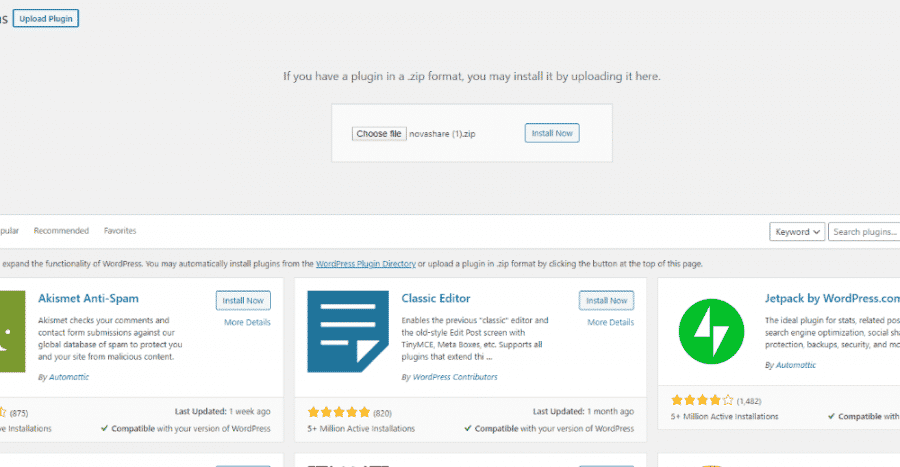
Dashboard UI in Novashare
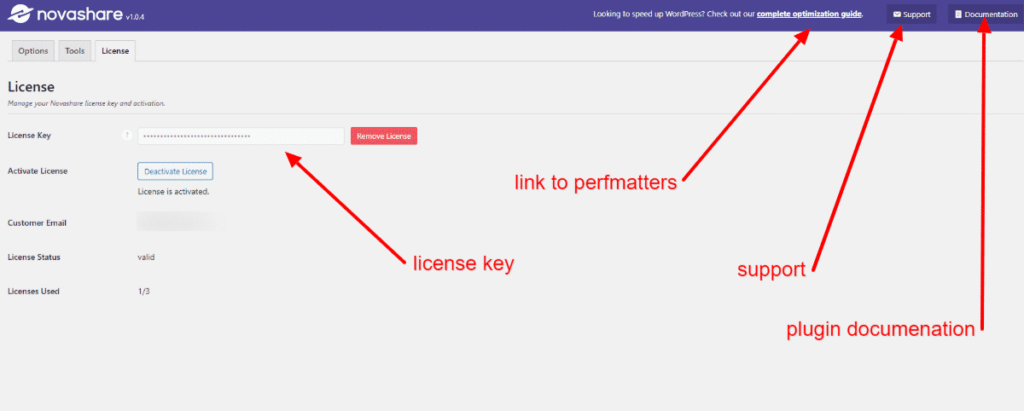
The first tab deals with the License and activation, how many installs you have, and the status of your License.
What I like about this is you’re never too far away from help. Get stuck? Click on the support icon, need to read the documentation, click on the link.
There’s also a cheeky link to Brian Jackson’s blog offering a guide on how to speed up WordPress. Sneaky beaky, I’ll allow it, though.
Tools tab in Novashare
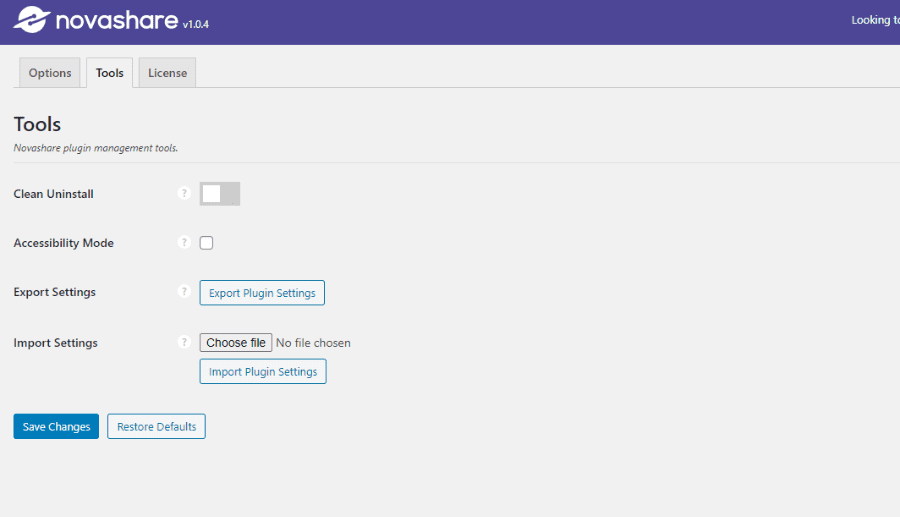
- Clean Uninstall:- If you’d like to remove all traces of the plugin upon uninstalling it, this switch lets you do just that.
- Accessibility Mode:- Enabling this means that descriptive text will display under each and every setting. Ideal for those who use screen readers.
- Export/Import:- If you have another blog you’d like to use an existing social share button set up for, you can import/export into another instance of Novashare.
Novashare options
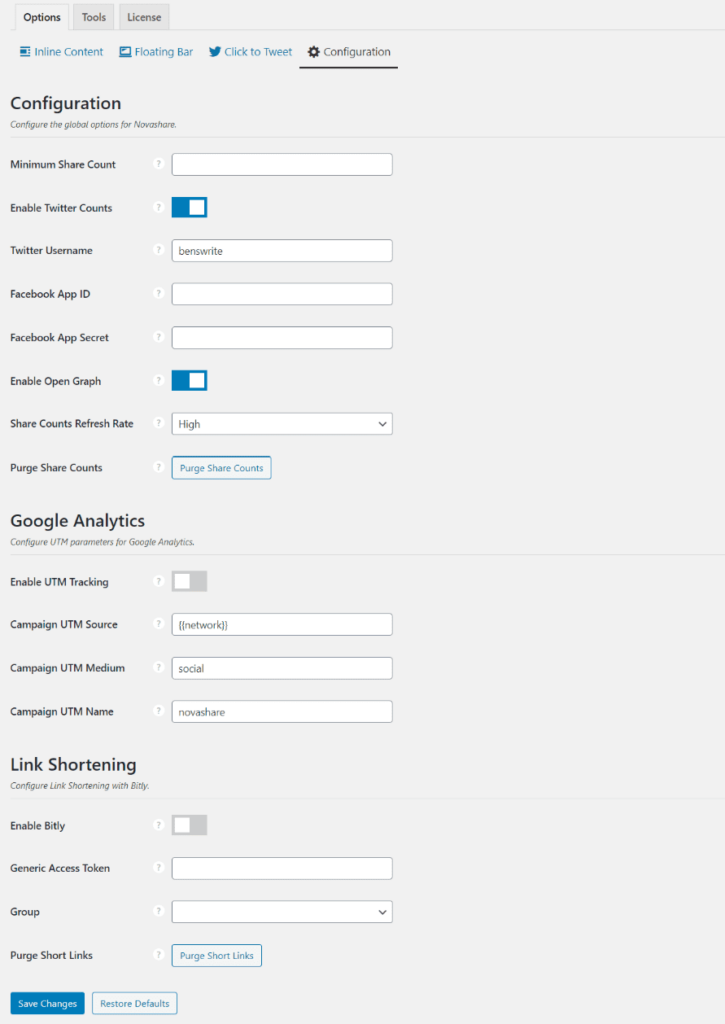
Plenty to get through here, I’ll keep it as brief as possible and explain what each option does. Bear in mind these are global options, so settings here will be site-wide.
Minimum Share Count
Display Twitter counts
To use TwitCount (which is free), all you need to do is head on over to their website, sign in with Twitter, add the URL of the site you’d like to display Twitter counts on, and you’re done.
*Important, this service will not give you a history count of how many times your content has been tweeted. It will work from the point of using the service.
Twitter Username
It’s a great way to get notified of who’s tweeting your content, so you can thank them, follow them (delete as applicable).
Connecting Facebook for Facebook shares
Opengraph, Shared Counts Refresh Rate & Purge Counts
Google Analytics settings
Link Shortening settings
Click to tweet settings
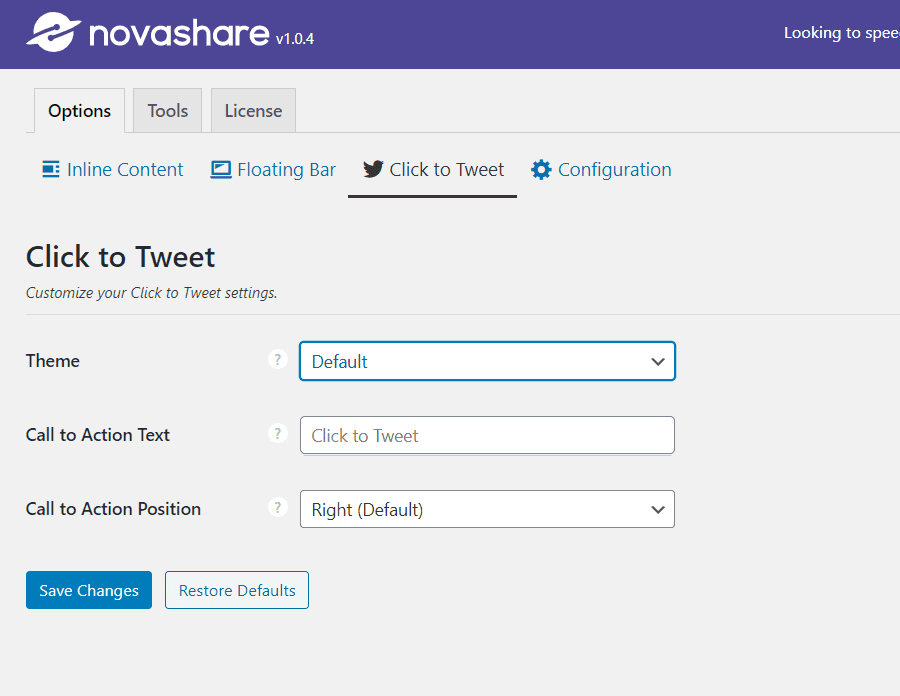
Here you can configure what theme you’d like to display as default. There are three on offer, choose the call to action text, and finally the position of the text in the block itself.
Floating Bar Settings in Novashare
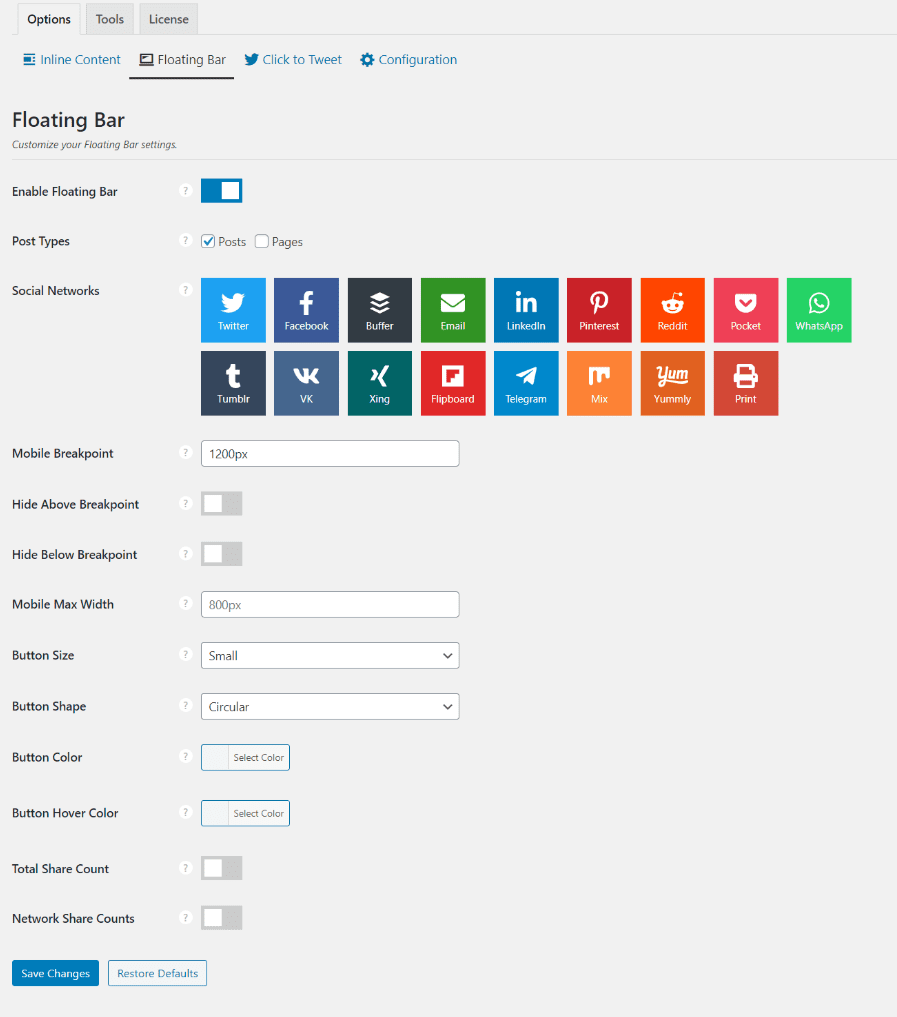
- Enable floating bar:- Enable, disable.
- Post Types:- Choose the post type you’d like to enable the floating bar to display on.
- Social network selection:- 17 to choose from, all the popular ones, Twitter, Facebook, Pinterest, Email, Print, Buffer and more.
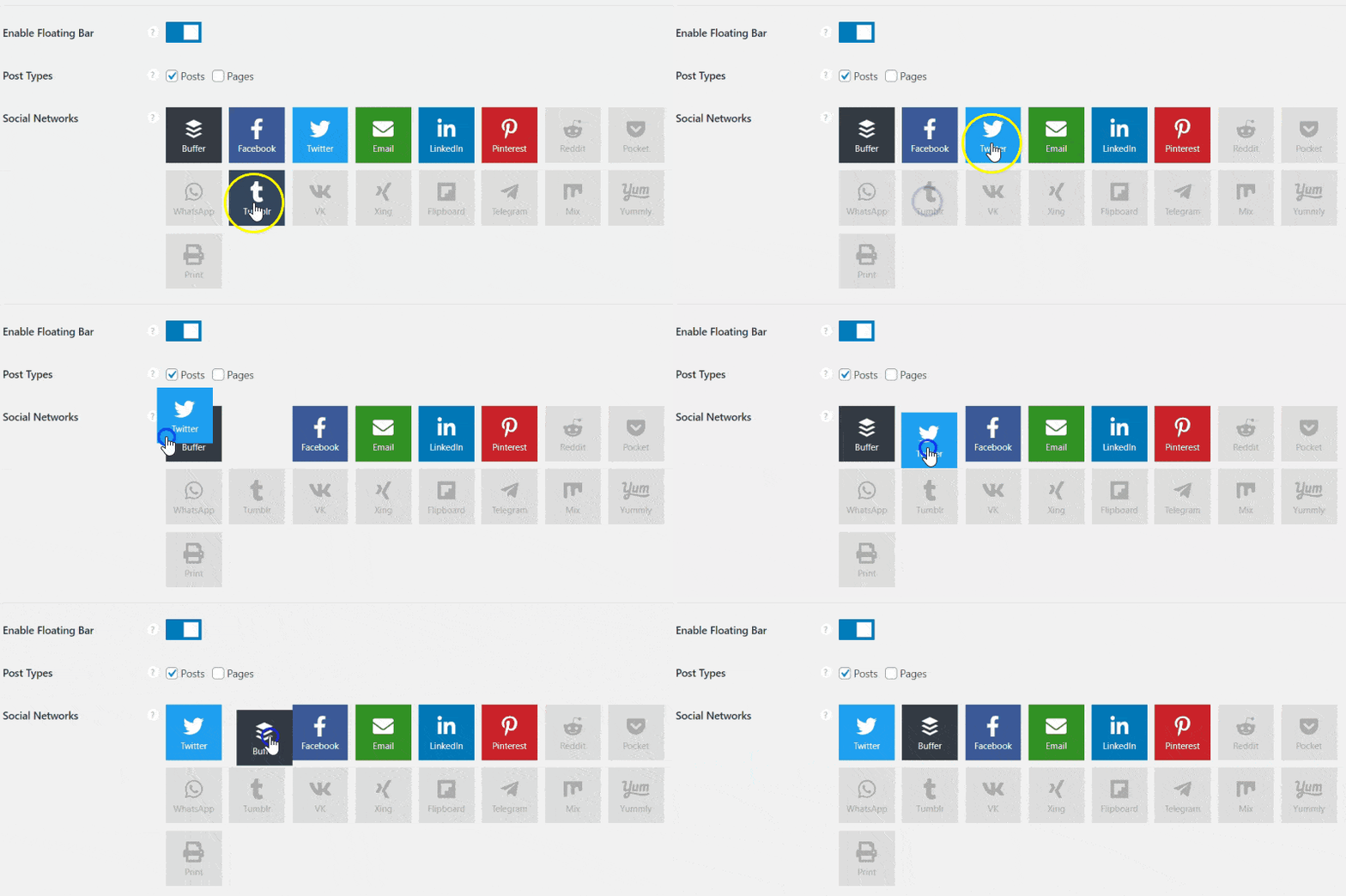
- Mobile Breakpoint:- Default here is 1200px, you can change this accordingly and add your own values.
- Hide Above Breakpoint:- These options deals with hiding the floating social bar when the browsers viewpoint is wider than your mobile breakpoint.
- Hide Below Breakpoint:- Works on the same basis, only when the viewpoint is narrower than your mobile breakpoint.
- Mobile Max Width:- Set a width in pixels, where your floating social buttons will display on mobile devices.
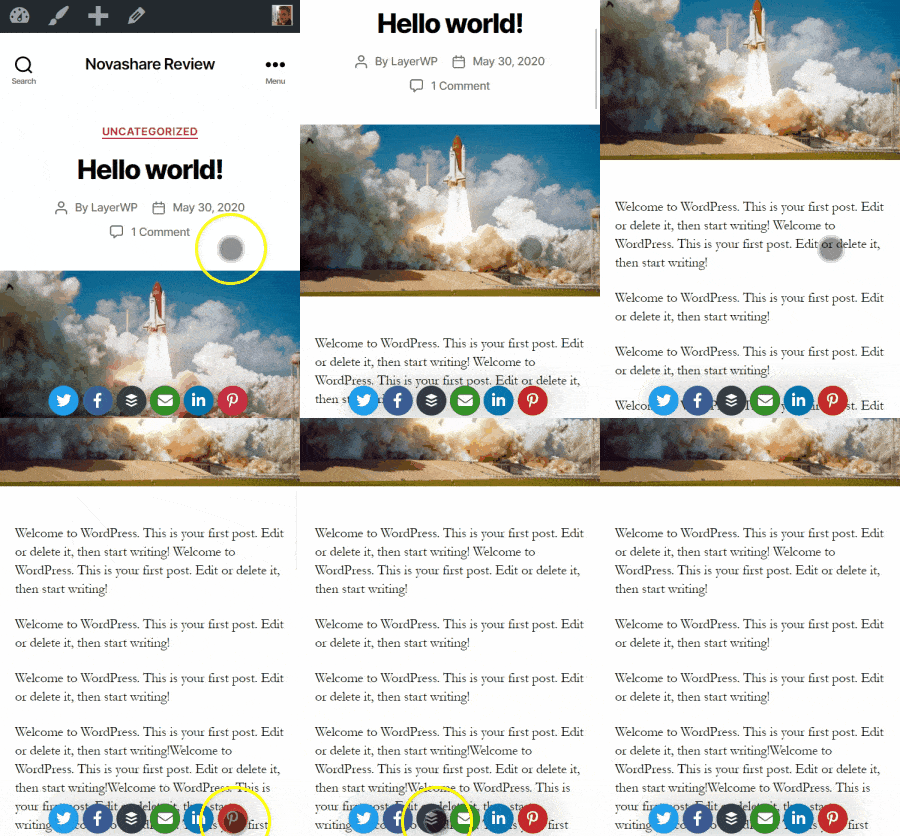
- Button Size:- Choose from small, medium, or large. For mobile? I’ve gone for small as not to intrude on the content itself.
- Button Shape:- Squared, rounded, or circular is the order of the day here.
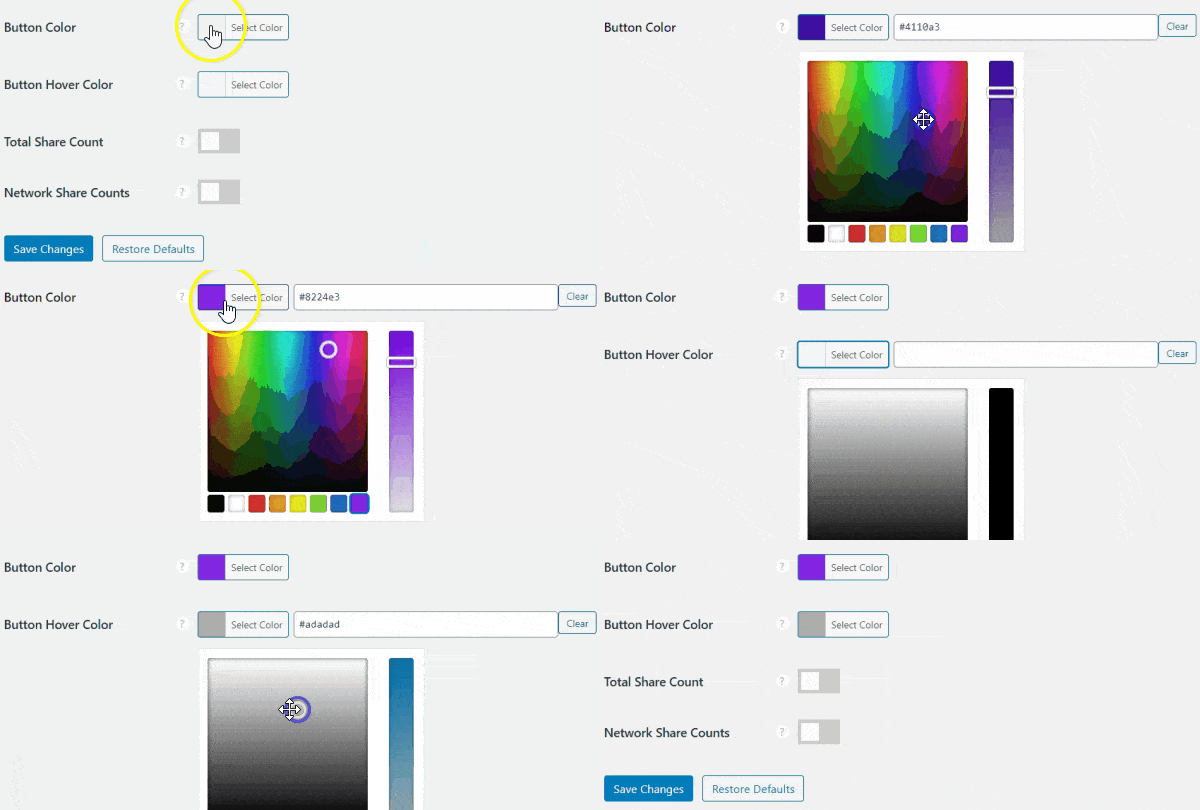
- Button Color/Hover Color:- Using the color picker, you can choose a HEX value for your button color and the hover. Very useful if you have a particular color palette you need to adhere to.
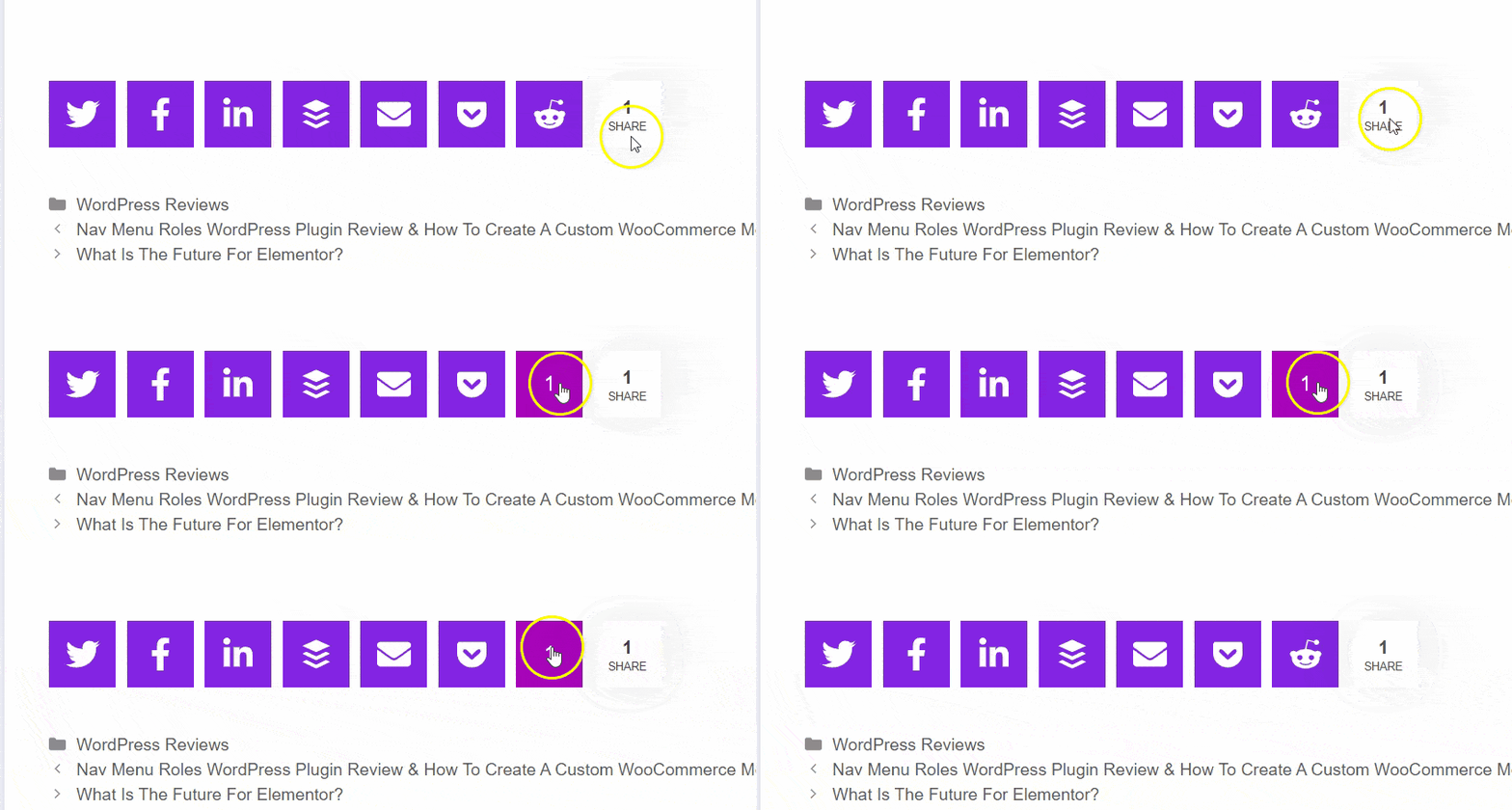
- Total Share Count/Network Share Count:- Total share deals with the number of shares your content has had. Network shares deal with the individual shares per icon per social network.
See below for an example:
Inline Content social sharing options
There is one main difference though.
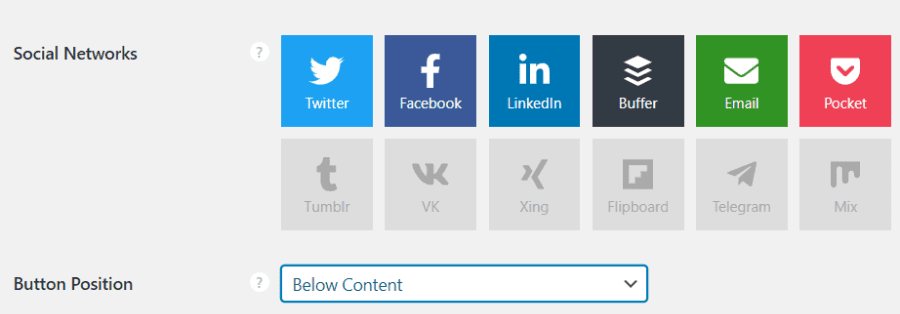
Choices are above content, below content, above and below. There is another option. Don’t add to the content.
[novashare_inline_content]What about the click to tweet box?
You’ve seen it near the top of the post, for those who missed it or didn’t click to tweet shame on you.
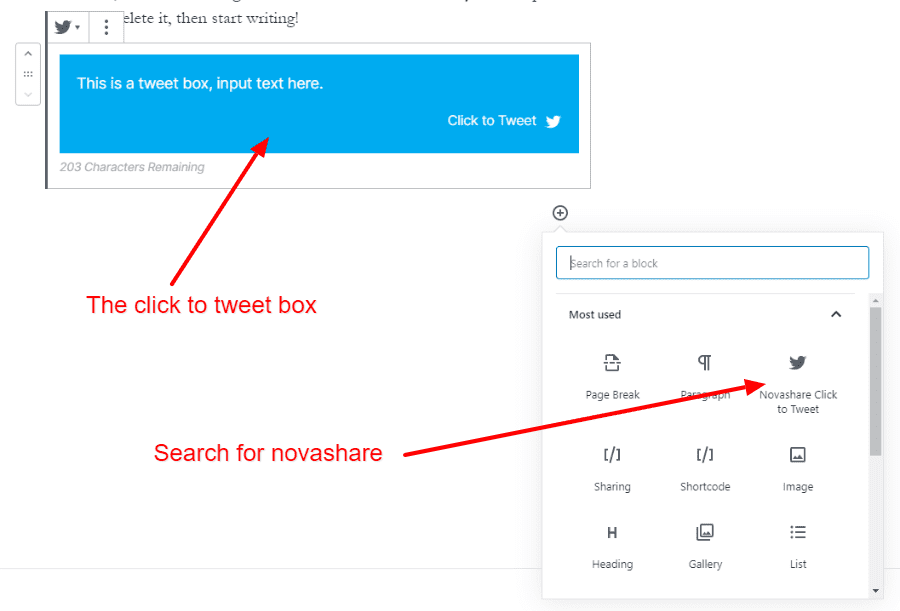
So those of you who hate the block editor (Gutenberg), you can still use it. I love the block editor, sorry.
Click to Tweet features
There are three different styles when it comes to the colors of the Click to Tweet box. Default Blue, Simple Transparent Background, and Simple Alternate Gray Background.
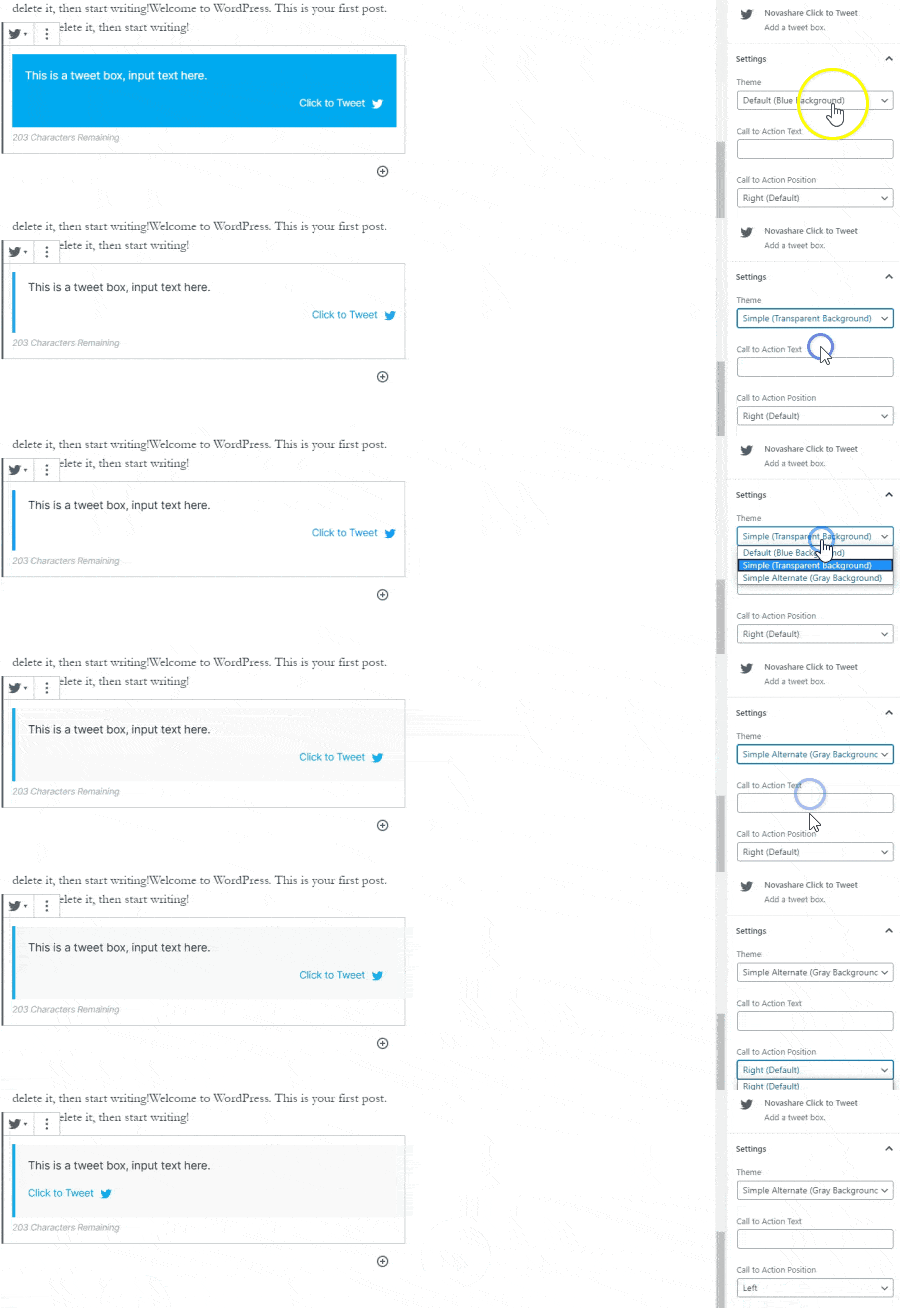
Colors are all well and good, what else can the Click to Tweet box do? Well, you can change the alignment of the Call to Action Position, either left or right.
Change the Call to Action Text, useful if you want to sex it up a bit. Other options include:
- Remove URL:- If you wanted to add a quote with no post URL attached to it, you can.
- Remove Username:- If you’d prefer not to have your Username mentioned at all, simply remove it.
- Hide Hashtags:- Add hashtags to your Tweet box, they’ll be visible to you in the post editor, not on the front end. Useful if you’d like to add some for more interaction of your tweet.
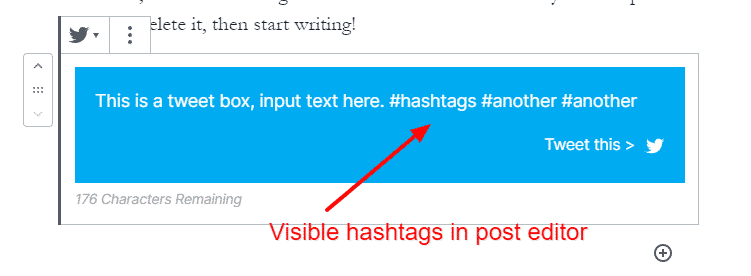
And another on the front end of my test site:
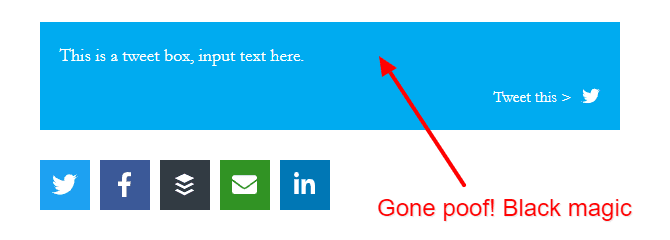
Having fun with the Click to Tweet box, some tips/discoveries I made
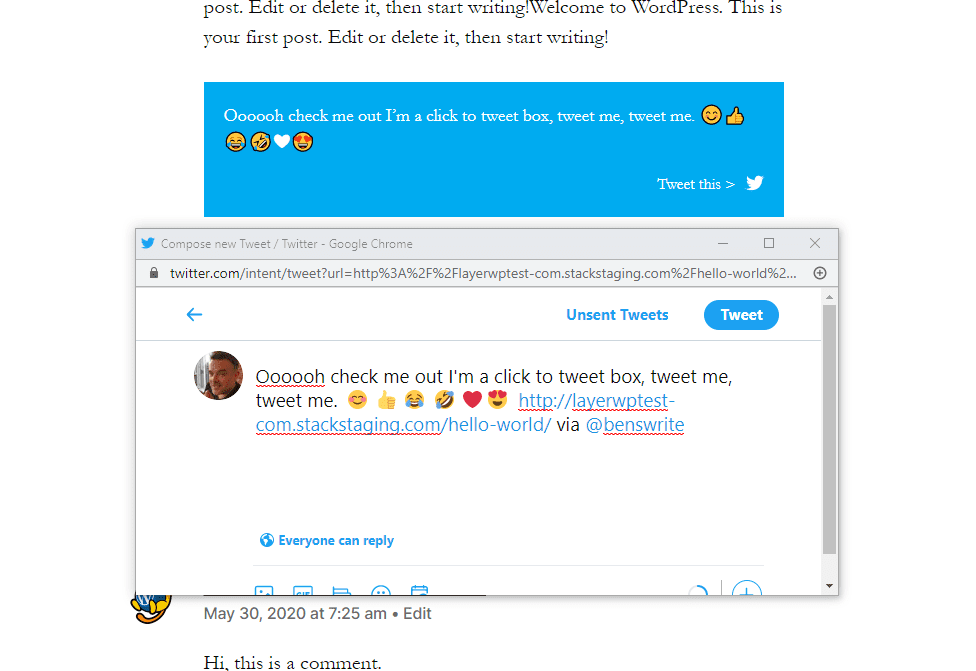
What about emojis? Does Click to Tweet support them? Well, as part of my testing for this review, I messed around with it. Guess what? It does.
Example with emojis and the tweet itself:
Here’s another tip, let’s say you want to mention someone in particular as part of your Click to Tweet box? Check out the example below:
Hey @brianleejackson reading a review of the Novashare social sharing plugin on LayerWP, it’s pretty in-depth have you seen it yet? #socialsharing #WordPress #review ??
See what I did with the above? I put a Twitter handle in there, so if you Click to Tweet, you’ll notice the output mentions the handle.
I’ve added a couple of emojis, and one next to the Call to Action Text as well. Pretty sweet sticks out for sure.
Can you add a URL into the tweet box? Yes. Let’s say you want to quote someone on Twitter using their handle and a link to a specific website you can. Add the URL to the tweet box, and you’re done.
Discovered an issue with the Click To Tweet box
It’s not all roses and perfume with the Click to Tweet box. I have noticed through testing, that adding spaces or entering a new paragraph making the text bold or italic, does the following:
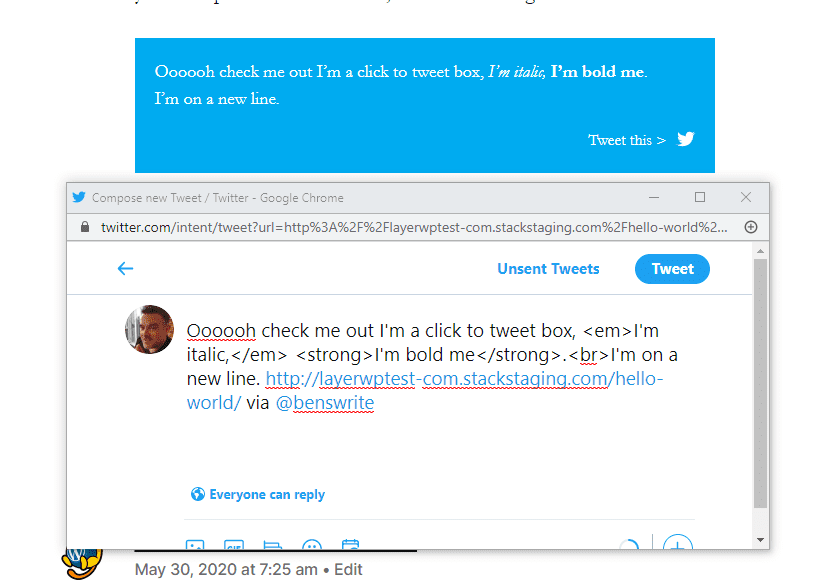
It’s not a fault; however, adding highlights or bold text could increase user engagement in the blog post, so it would have been nice to have for me. Minor quibble.
Novashare Post editor options
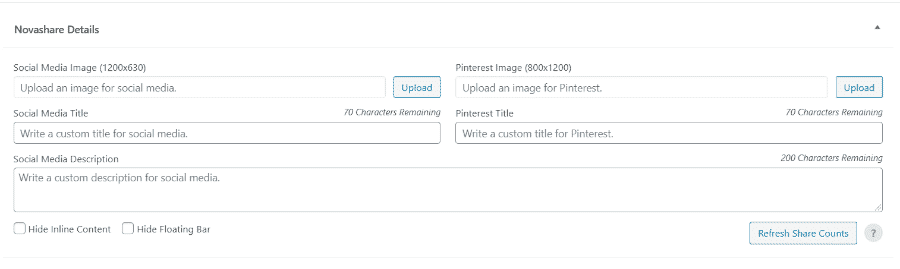
The next section deals with Pinterest. A recommended size in pixels of 800px by 1200px along with a custom title for Pinterest.
Does Novashare Work With WooCommerce?
Yes, it does, there is an issue I have found with it though. See above for what I mean.
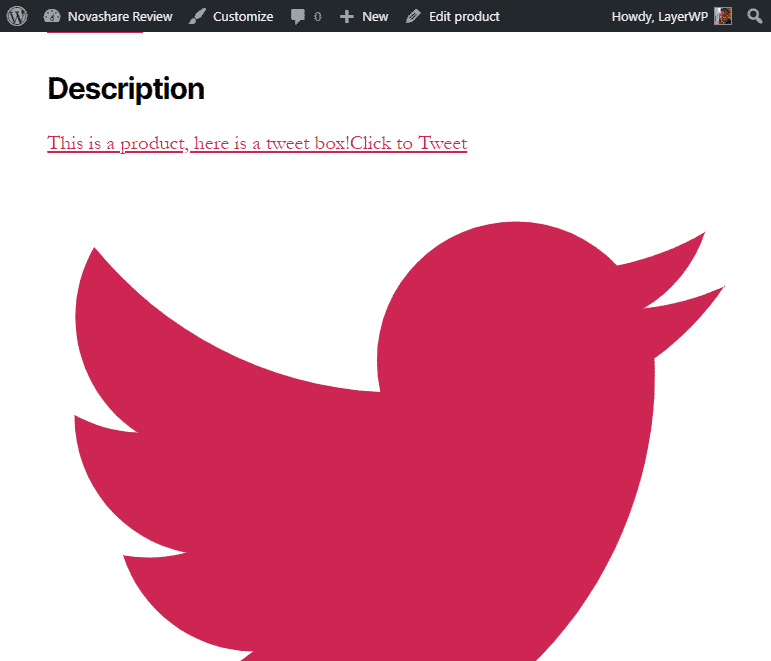
What a pretty bird. Albeit massive and well huge. The above was added via the classic editor in the WooCommerce product editor.
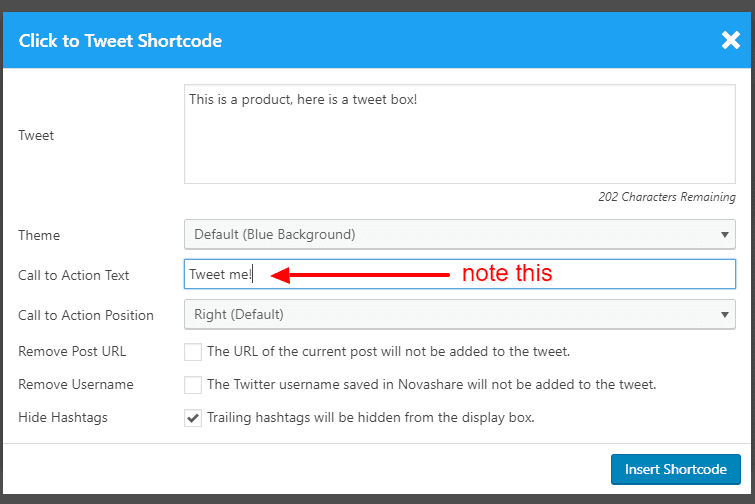
Notice the Call to Action Text highlighted in the image? For some reason, this is not pulled into the box itself. Well, we know the box doesn’t work or does it?
Weirdly, if you add the Click to Tweet box in the short product description in WooCommerce this happens:
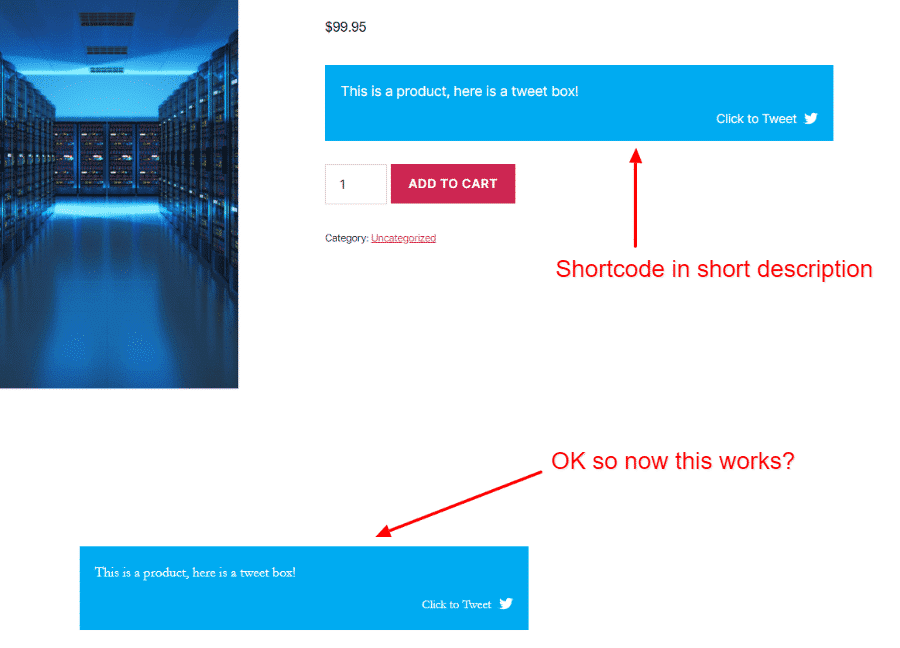
I will say though the Call to Action text does not work on either count despite me entering it.
-however-a-workaround-is-to-use-the-inline-shortcode-and-place-it-in-the-short-product-description-in-woocommerce”>However, a workaround is to use the Inline shortcode and place it in the short product description in WooCommerce.
It looks rather lovely and in my opinion, is a better place to show them, it’s immediate.
Is Novashare That Lightweight?
Well, I’ve covered the features, and since I’m using it here on LayerWP, the demo is my site.
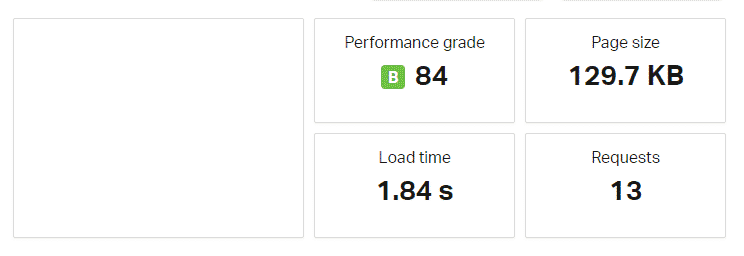
Before installing on a test site, I used Pingdom to give me a page size, bearing in mind the test was performed on a shared host with no other plugins activated and no caching.
For testing purposes, I only had the Inline Content social buttons activated above the content. Well, I’ve covered the features, and since I’m using it here on LayerWP, the demo is my site.
Before installing on a test site, I used Pingdom to give me a page size, bearing in mind the test was performed on a shared host with no other plugins activated and no caching.
See below for the before:
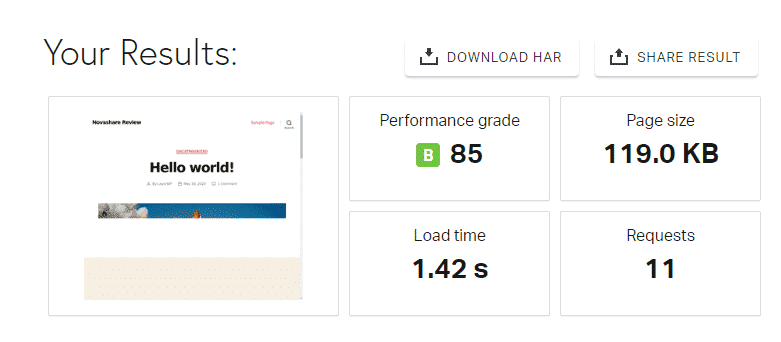
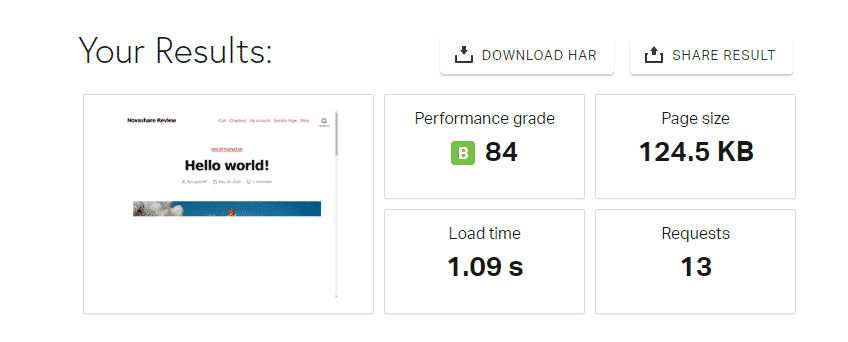
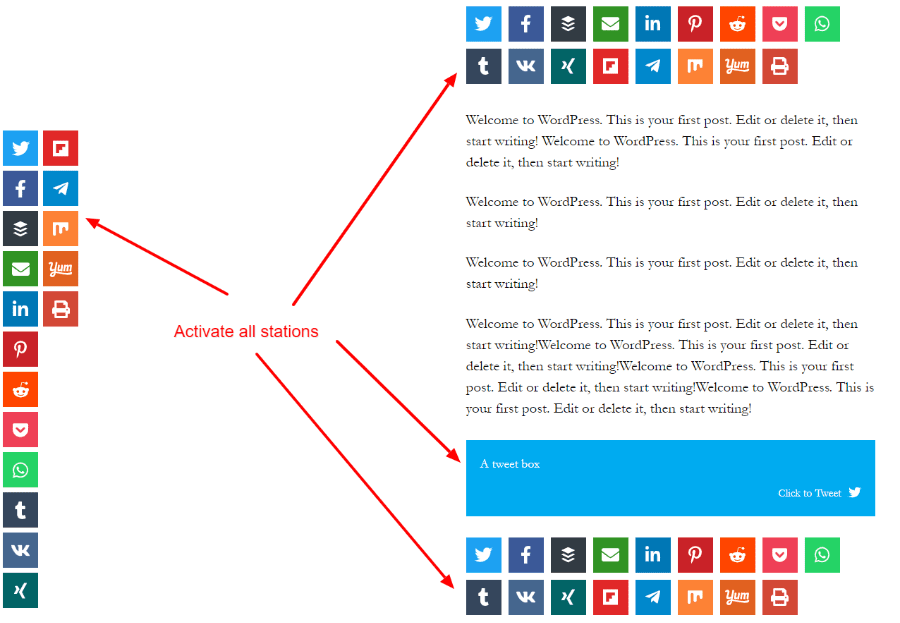
What was the outcome with everything activated? I mean Floating Bar, Inline Content (above and below) and the Click to Tweet box?
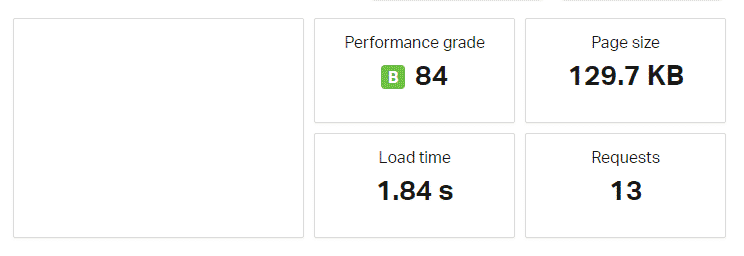
Wow. Just over 10KB with all everything activated!
Comparing Novashare against other WordPress social media plugins
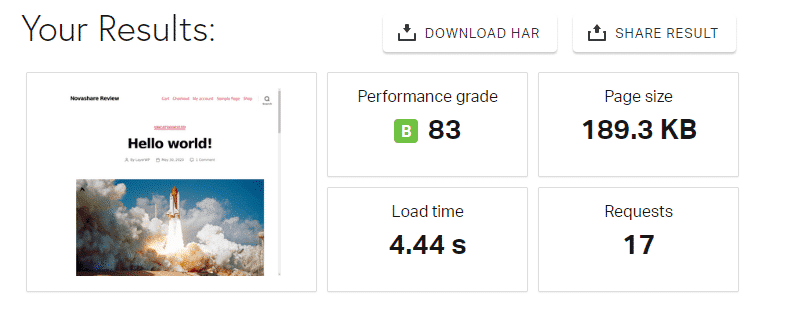
| Social Warfare free version | Novashare |
|---|---|
| Everything Activated Page size: 189.3KB | Everything activated Page size: 129.97KB |
| Requests: 17 | Requests: 13 |
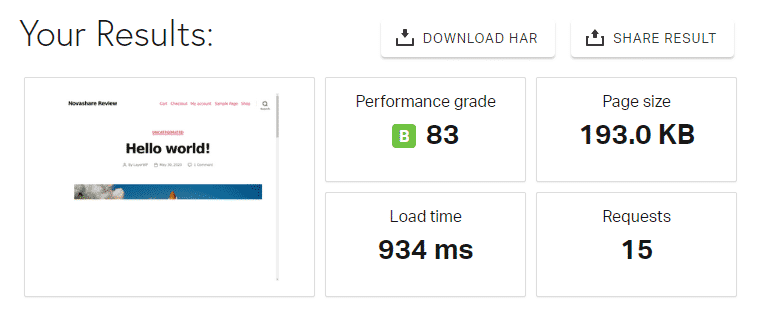
| Mashshare free version | Novashare |
|---|---|
| Everything Activated Page size: 193.00KB | Everything activated Page size: 129.97KB |
| Requests: 15 | Requests: 13 |
How Much Does Novashare Cost?
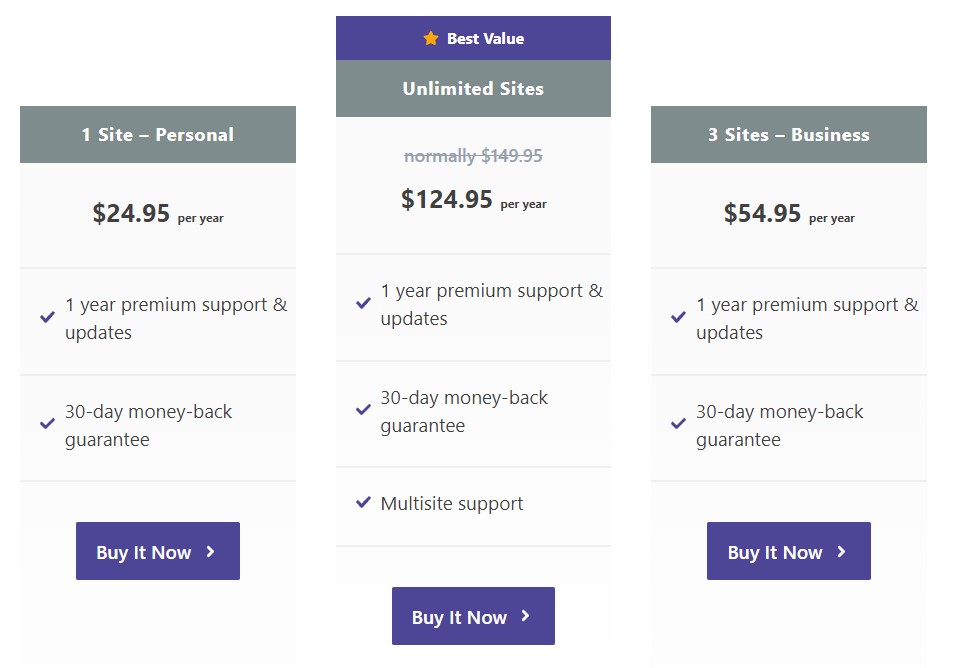
Novashare comes in three different license types, a one site license (cheapest option), three site license, and finally an unlimited site license, all with different pricing.
Unlimited Site License
- 1 Year Premium Support & Updates
- 30-Day Money-Back Guarantee
- Multisite support
Novashare Review Score
| Criteria | Score |
|---|---|
| Functionality | 5 |
| Ease of use | 5 |
| Speed | 5 |
| Cost | 5 |
| Compatibility | 4 |
| Overall Score | 4.8 |
About The Review Sponsor
Draw Attention helps you create interactive images in WordPress. Perfect for floor plans, online courses, campus maps, group photos, affiliate marketing, annotated image tutorials, or anything your mind can come up with.
Subscribe To My Newsletter
Leave a Reply